Storage bucket
Overview
A bucket is a container for objects, which can be understood as the carrier for storing objects. All objects must belong to a specific bucket.
The StorageBucket is a cluster-scoped custom resource that defines an abstract concept for the Bucket in various object storage systems, similar to PV. Business users in the container platform can create StorageBucket claims, and the platform will automatically create the StorageBucket and bind it to the claim. You can view the relevant information of the StorageBucket in the Platform Management.
Configuration Workflow
You can choose to use Ceph Object Storage Classes or MinIO Object Storage Classes to create storage buckets. The specific creation process is as follows.
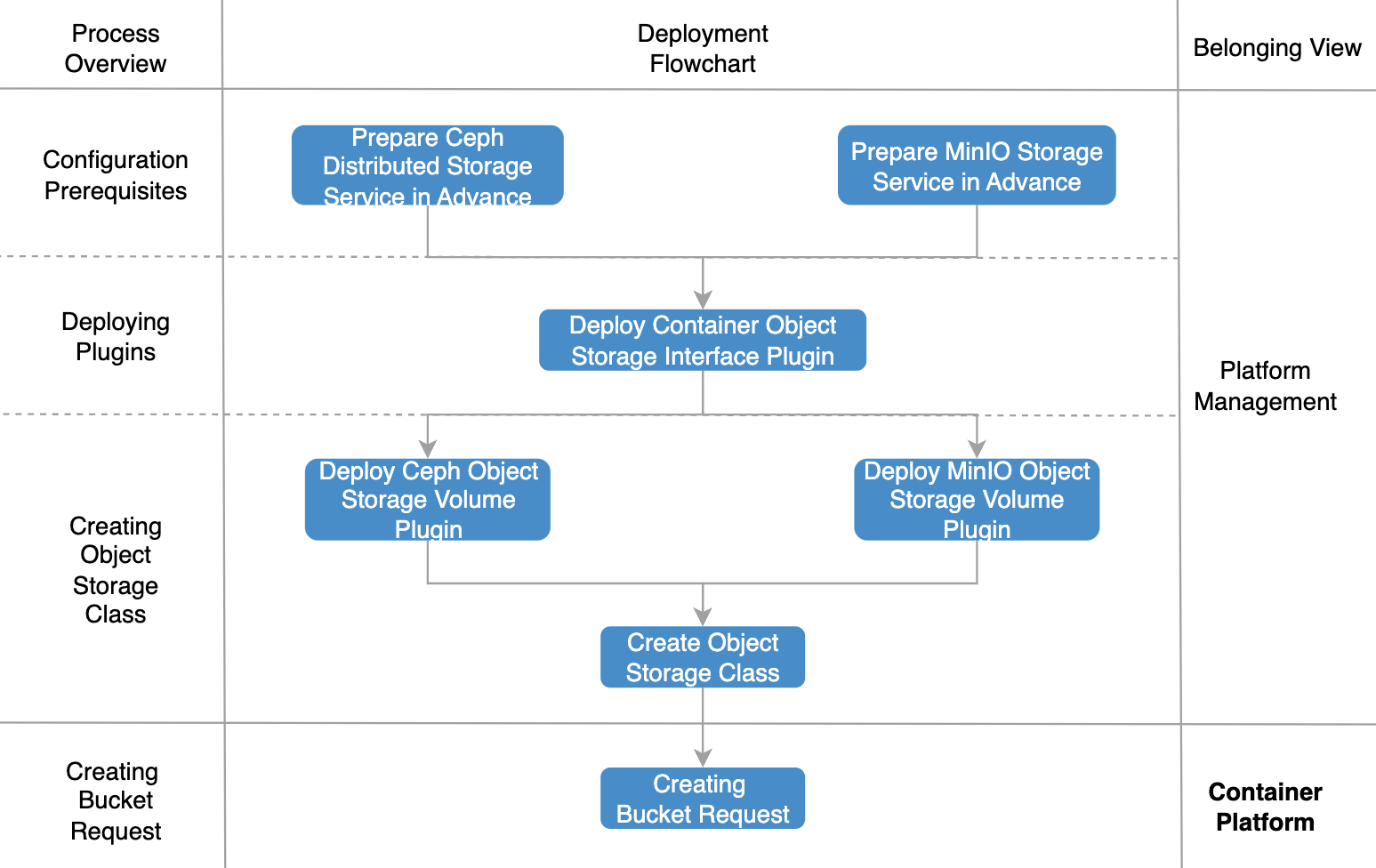
-
Go to Platform management and create StorageClasses as needed.
-
To create Ceph object StorageClasses, please refer to Creating StorageClasses: Ceph Object Storage (Alpha) for detailed instructions.
-
If you want to create MinIO object StorageClasses, please refer to Creating StorageClasses: MinIO Object Storage (Alpha) for detailed instructions.
-
-
Enter Container Platform, create and mount a storage bucket claim.
-
Create a storage bucket claim. Select the Object StorageClasses and create a storage bucket claim.
-
Mounting storage bucket claims in workloads. When creating an application and adding a storage volume, select the Secret with the Storage Bucket Claim label to successfully mount the storage volume to the container file system.
-
View storage bucket related information
-
On the left navigation bar, click Storage > Buckets.
-
In the list page, you can view the relevant information of the bucket, such as name, binding status, associated bucket claims, creation time, etc.