Alarm setting
Support configuring global sending intervals for alarms of different levels to limit message frequency. Additionally, support configuring alarm notification strategies for built-in monitoring components to trigger alarms and notifications when detecting component abnormalities, making it easier for users to understand the status of built-in alarm components.
Monitor component abnormal alarm
Support configuring abnormal alarm checks and notifications for Prometheus, VictoriaMetrics, and Alertmanager alarm components to help users confirm and correct any issues.
-
In the left navigation bar, click Operations Center > Firing > Alarm Settings.
-
In the Monitor Component Abnormal Alarm section, click Update.
Parameter Description Check Interval The alarm sending interval refers to how often an alarm message is sent after it is triggered and has not yet returned to normal. Notification Interval The time interval for sending notifications. The notification interval cannot be less than the check interval. Do Not Check Cluster By default, the platform checks the alarm component status of all clusters. You can add clusters that do not need to be checked. After adding, the monitoring components of the cluster will not be checked. Notification Strategy Add notification strategies for alarm components to help users quickly identify monitoring component issues. -
Click Confirm.
Update alert delivery interval (global)
Administrators can set the global alarm sending interval time according to actual situations, and flexibly set different interval times for alarms of different levels.
-
In the left navigation bar, click Operations Center > Firing > Alarm Settings.
-
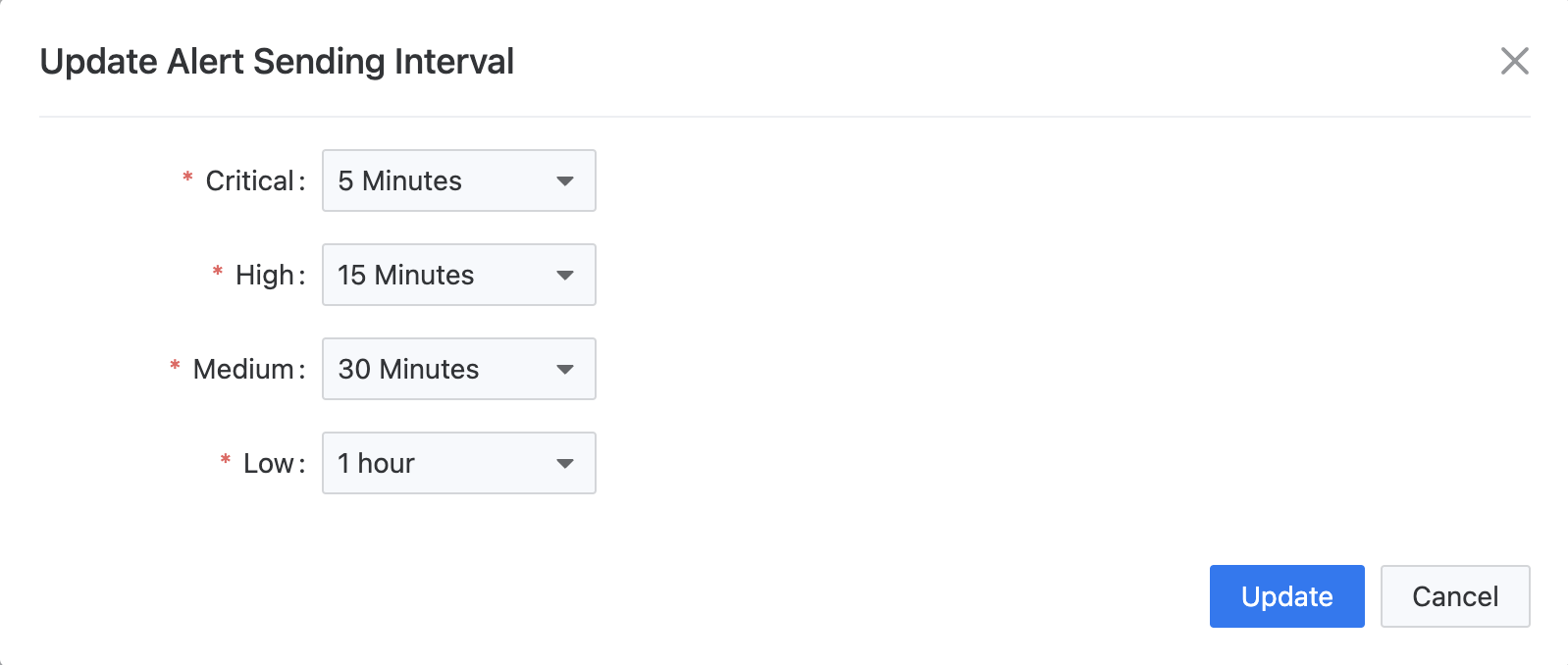
In the Alarm Sending Interval section, view the alarm sending intervals corresponding to different levels of alarms. The alarm sending interval refers to how long it takes to repeat sending an alarm message after the alarm is triggered and has not yet returned to normal. The platform provides default values. In the default case, the sending interval for disaster alarms is 5 minutes; for severe alarms, it is 15 minutes; for warning alarms, it is 30 minutes; and for prompt alarms, it is 1 hour.
-
Click Update. In the Update Alarm Sending Interval window, you can update the alarm sending intervals corresponding to different levels of alarms. You can choose from 5 minutes, 10 minutes, 15 minutes, 30 minutes, 1 hour, 3 hours, 6 hours, 12 hours, 1 day, or no repetition. If set to no repetition, alarm messages will only be sent during the alarm and recovery.
-
After updating, click Update. After the settings are complete, users can choose to use the global alarm sending interval time when creating alarm templates or alarm policies.