Platform health status (Alpha)
The Platform Health Status page presents statistical data on the health status of the platform’s deployed features. If your account has platform management or platform audit-related permissions, you can also view detailed health data for specific features, including a list of clusters where the feature is not deployed, the health status of clusters where the feature is deployed, and detection data for components under the clusters associated with the feature. This can help you quickly locate issues and improve platform operation efficiency.
Prerequisites
You have entered the product view or platform center (platform management, project management, or operation center) view of the deployed platform.
Constraints and limitations
-
All users who can log in to the platform normally can view the Platform Health Status page.
-
Only users with platform management or audit-related permissions can view detailed health data for features.
Procedure
-
Click the
 icon in the upper right corner of the top navigation bar, and then click Platform Health Status.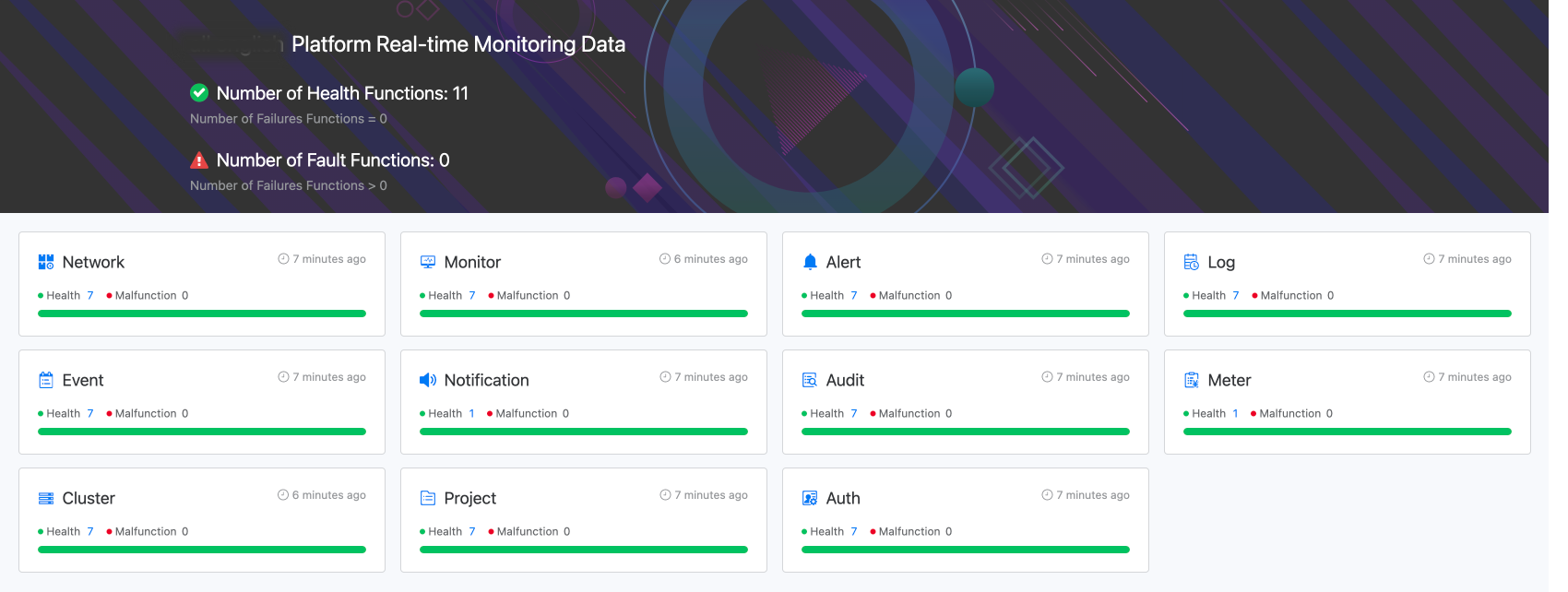
Relevant operations
View feature cards
The feature card displays information on the health status of the feature, as shown in the following figure.
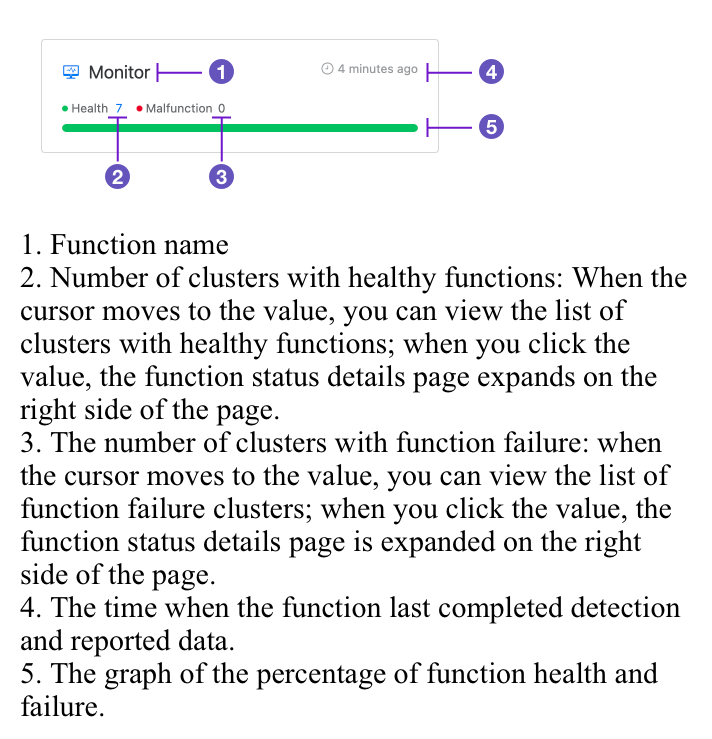
View feature health status details
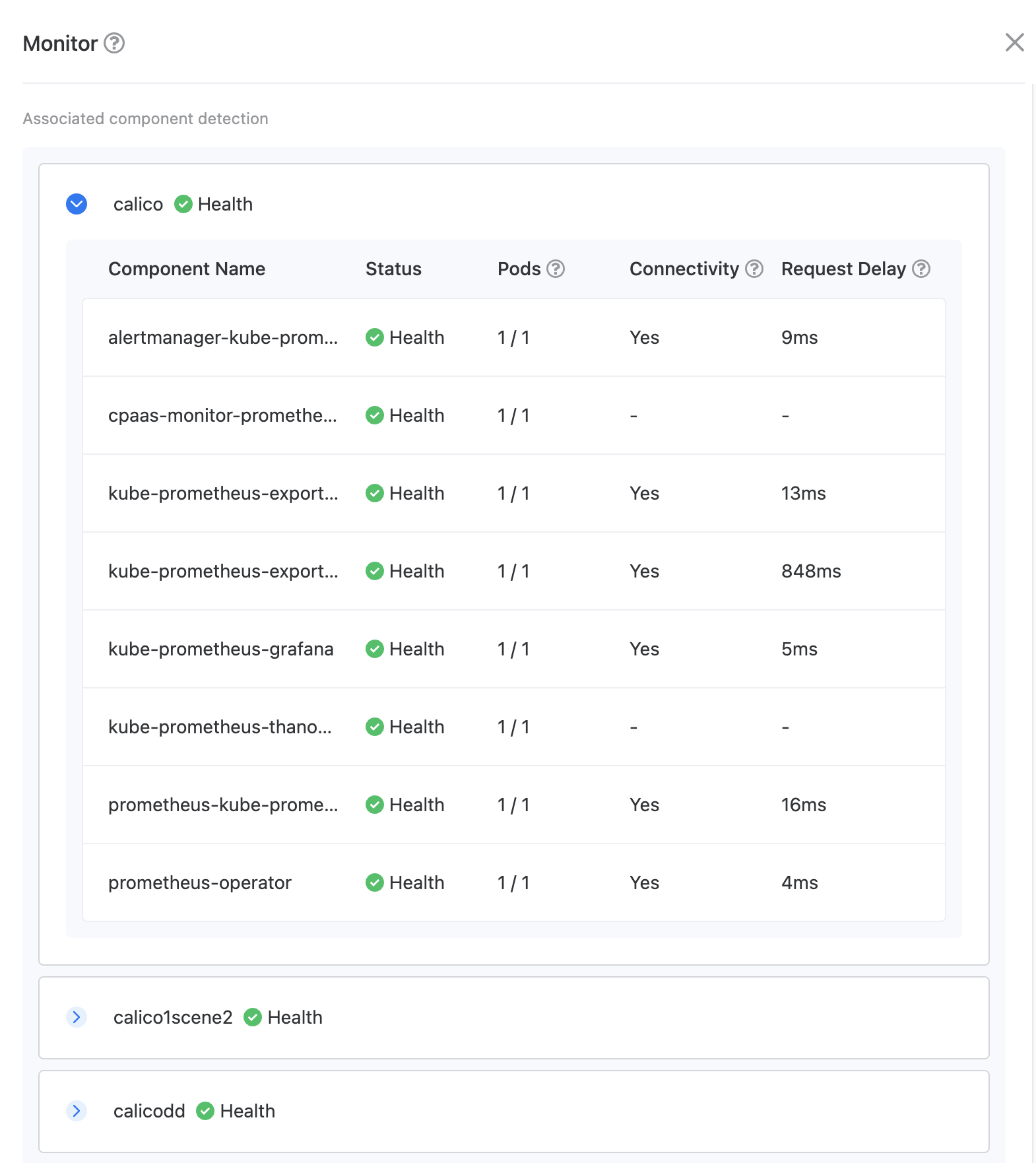
Click the health/failure value on the feature card to expand the feature health status details page on the right side of the page, as shown in the following figure.