'Third-party platform credential authorization timeout' error while setting auth2 secret for GitLab in Mozilla Firefox
Cause analysis
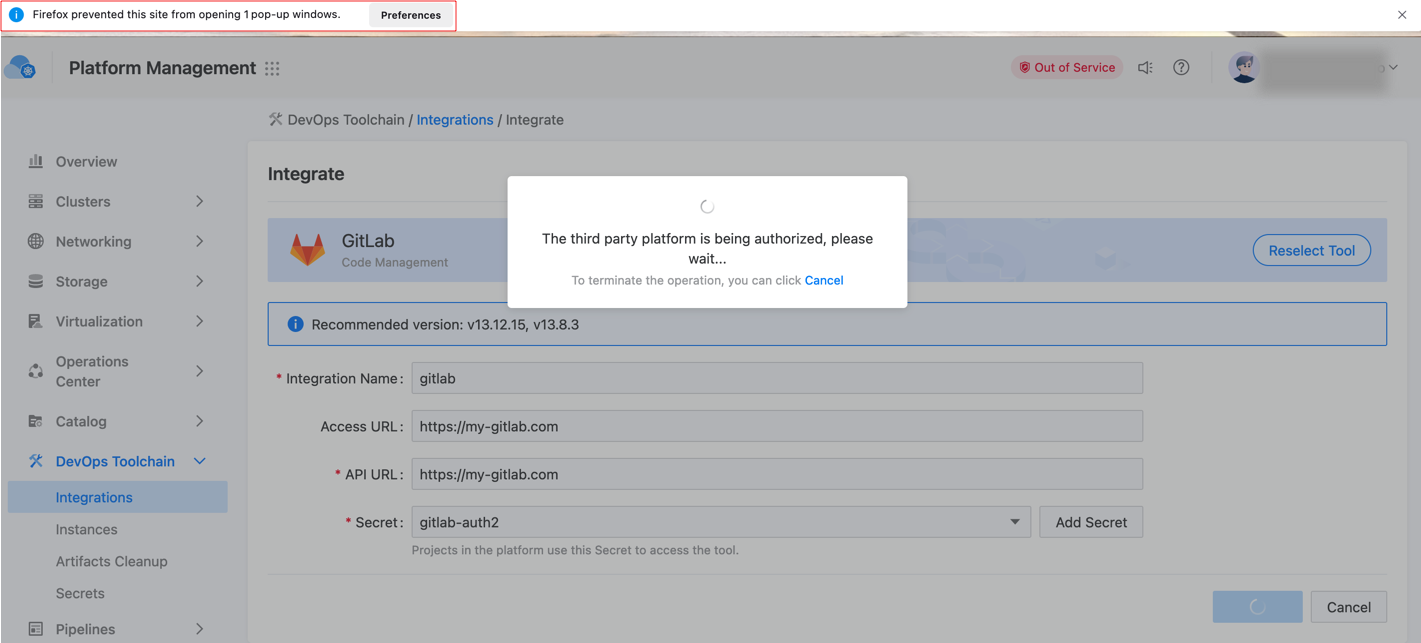
When integrating GitLab or updating GitLab Secret, the platform will open a new browser tab to facilitate your authorization on GitLab. If Go to GitLab for authorization is enabled in the Mozilla FireFox browser, the platform will not be able to complete the authorization.
The solution
-
Click on Preferences in the browser’s notification bar to allow pop-up windows from the platform.
-
Try integrating the tool again or updating the Secret.