How to Get Access Cluster Info?
Description of the problem
To obtain the configuration information required to connect to the cluster and authorize access and management of the cluster in subsequent operations, this section provides an overview of the operations for obtaining the cluster access information.
Prerequisites
-
The user has obtained the KubeConfig file for accessing the cluster.
-
An environment with a configured kubectl client. For public cloud clusters, it is recommended to use the CloudShell provided by the platform. If CloudShell is not available, it is recommended to use a Linux or macOS operating system.
Get cluster information
Get Cluster Token
-
Please execute the following command line:
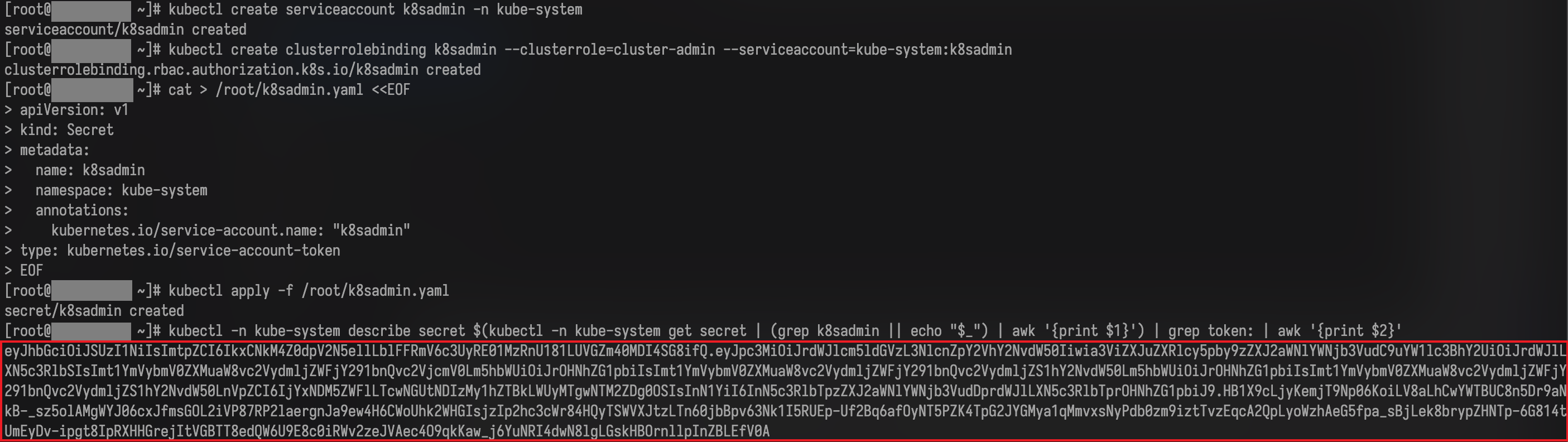
# Important: The following commands could only be executed on bash! # Manually create secret、Associate serviceaccount、Generate never-expiring token kubectl get ns cpaas-system > /dev/null 2>&1 || kubectl create namespace cpaas-system kubectl create serviceaccount k8sadmin -n cpaas-system kubectl create clusterrolebinding k8sadmin --clusterrole=cluster-admin --serviceaccount=cpaas-system:k8sadmin cat | kubectl apply -f - <<EOF apiVersion: v1 kind: Secret metadata: name: k8sadmin namespace: cpaas-system annotations: kubernetes.io/service-account.name: "k8sadmin" type: kubernetes.io/service-account-token EOF kubectl -n cpaas-system describe secret \ $(kubectl -n cpaas-system get secret | (grep k8sadmin || echo "$_") | awk '{print $1}') \ | grep -F 'token:' | awk '{print $2}' -
The obtained token from the previous step is shown in the following figure.
-
Validate the expiration time of the obtained token.
You can use any tool that supports JWT token parsing to analyze the obtained token and verify its expiration time.
If the parsing result contains an expiration time (with a key-value pair containing the word “exp”, as shown in the figure below), the platform will no longer be able to manage the access cluster after that time.
At this point, please stop the operation and request technical support.
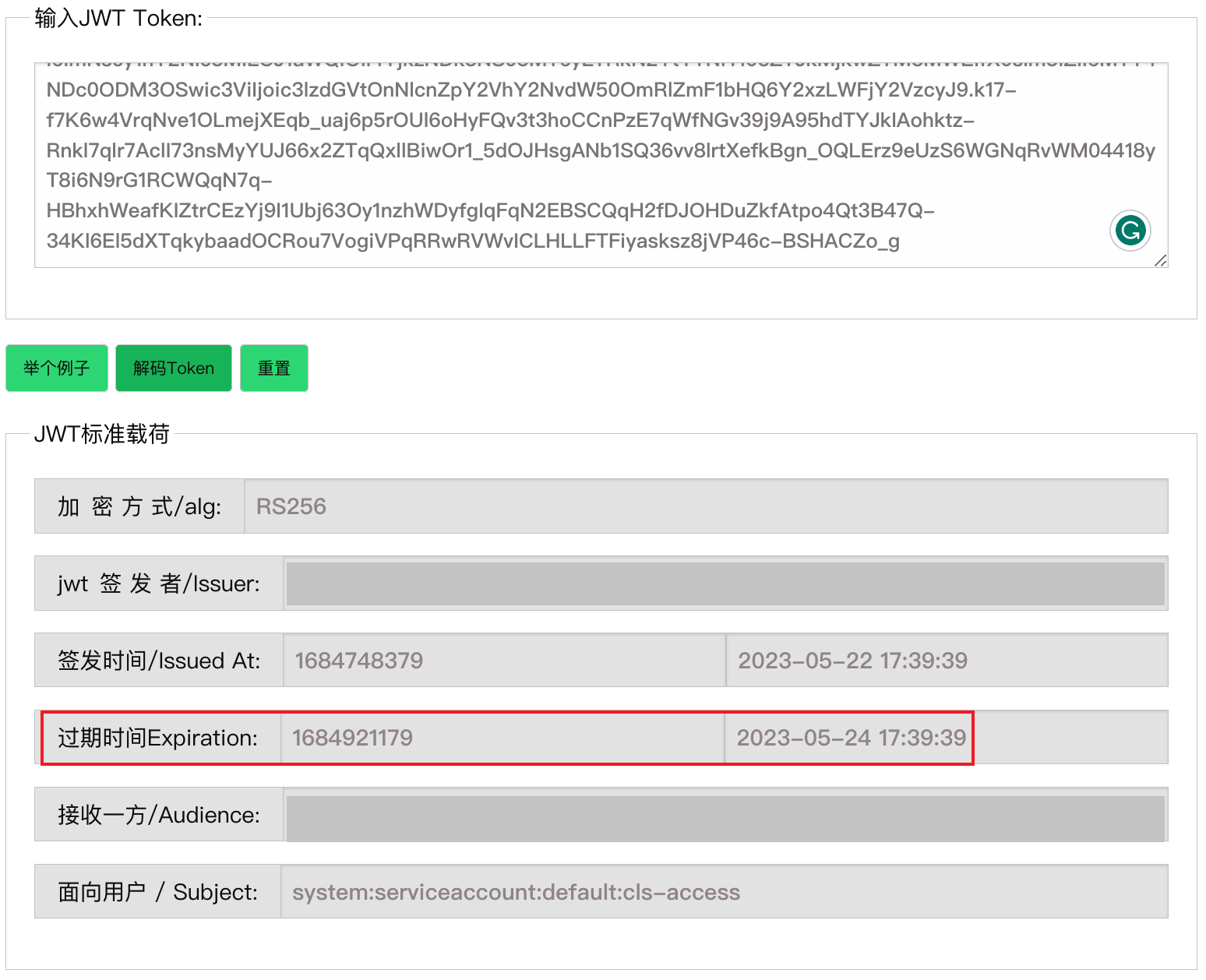
Tip: The expiration time is recorded as
"exp": 1684486916in the original payload of the JWT token, and its value is a UNIX timestamp that can be converted to UTC time.
Get Access Cluster apiserver Address and CA Certificate
**Note:** If you have already obtained the access address of the apiserver and the CA certificate by using the "Parse KubeConfig File" feature on the cluster page, please skip this step.
-
Please execute the following command line:
# View Access Cluster apiserver Access Address of。Multiple access addresses may be found.
kubectl --kubeconfig "${HOME}/.kube/config" config view --show-managed-fields=false --flatten --raw -ojsonpath='{$.clusters..cluster.server}'
addr_apiserver='<Selected apiserver Access Address>'

# Get the specified apiserver of CA Certificate
kubectl --kubeconfig "${HOME}/.kube/config" config view --show-managed-fields=false --flatten --raw \
    -ojsonpath="{$.clusters[?(@.cluster.server == '${addr_apiserver}')].cluster.certificate-authority-data}" \
    | base64 -d