How to Resolve Network Inaccessibility of Container Pods in Heterogeneous Clusters?
Problem Description
Two nodes were added to the global cluster through the platform, where the control node uses the x86 architecture and the compute node uses the ARM architecture. After starting the cluster services, running the following command reveals that the container pods on the compute node are in the CrashLoopBackOff state and indicate a failure to access the APIServer.
kubectl get pod -A -o wide | grep <node IP address>Analysis of the Cause
In heterogeneous clusters, due to differences in hardware architecture between different systems, the checksum calculation method for network cards may vary. This can result in the recipient being unable to properly verify the integrity of data packets, leading to issues such as packet loss.
Troubleshooting Methods
Check the Association of Container Pods
Check the content of the Northbound Database (nb) and Southbound Database (sb) to ensure that each pod has associated logical switch port (lsp) and port binding records. This ensures that pods can communicate properly and access the network. Use the following command:
ovn-sbctl showCheck Network Connectivity Between Nodes
-
As the anomalous pods are on the compute node, attempting to ping the pods on the anomalous node from the control node fails.
-
Attempting to ping the ovn0 network card on the compute node from the control node also fails.
Capture Packets
Note: Replace <node NIC name>, <virtual NIC name>, <node virtual IP>, and <node IP> in the following commands with the actual NIC name, virtual NIC name, node virtual IP, and node IP.
-
Use the command
tcpdump -i <virtual NIC name> -nnve host <node virtual IP>to capture packets on the control node. It shows only ICMP request packets and no reply packets.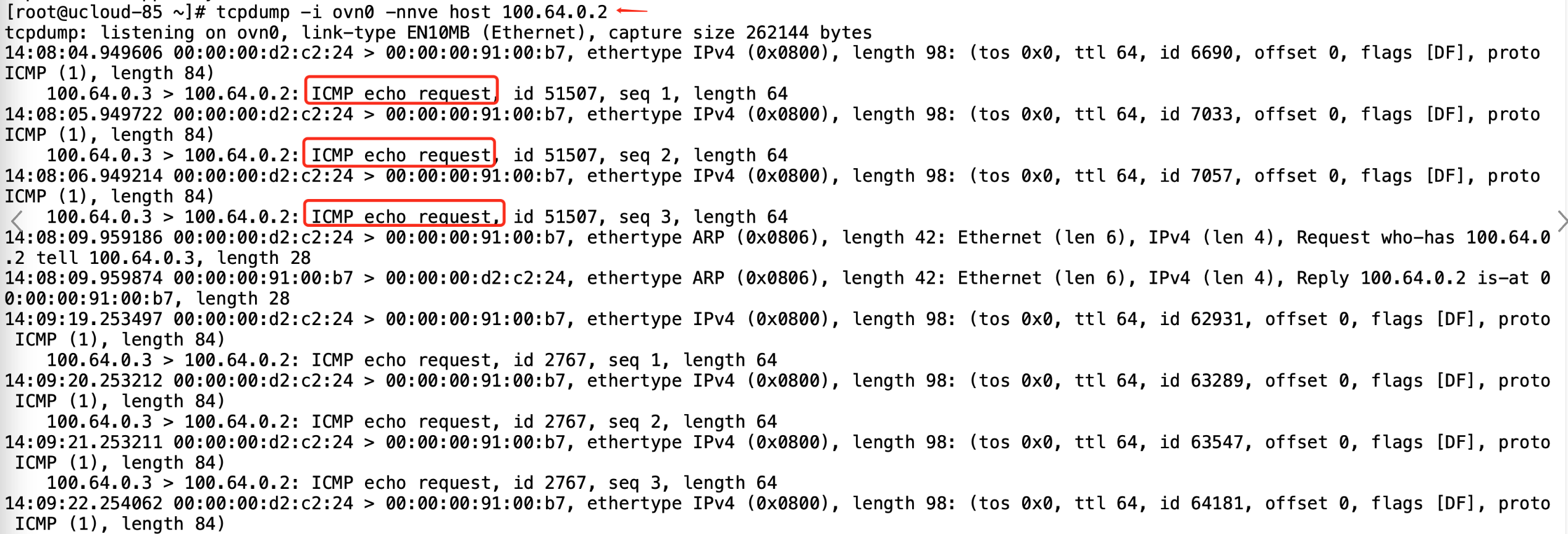
Parameter Explanation:
-
tcpdump: Packet capture tool; install the corresponding application package before use. -
-i: Specify the NIC information to capture. -
host: Specify the host IP for capturing data packets.
-
-
Use the command
tcpdump -i <virtual NIC name> -nnve host <node virtual IP address>to capture packets on the compute node. It shows that ICMP request packets are received and reply packets are returned. However, no related reply packets were received in Step 1 .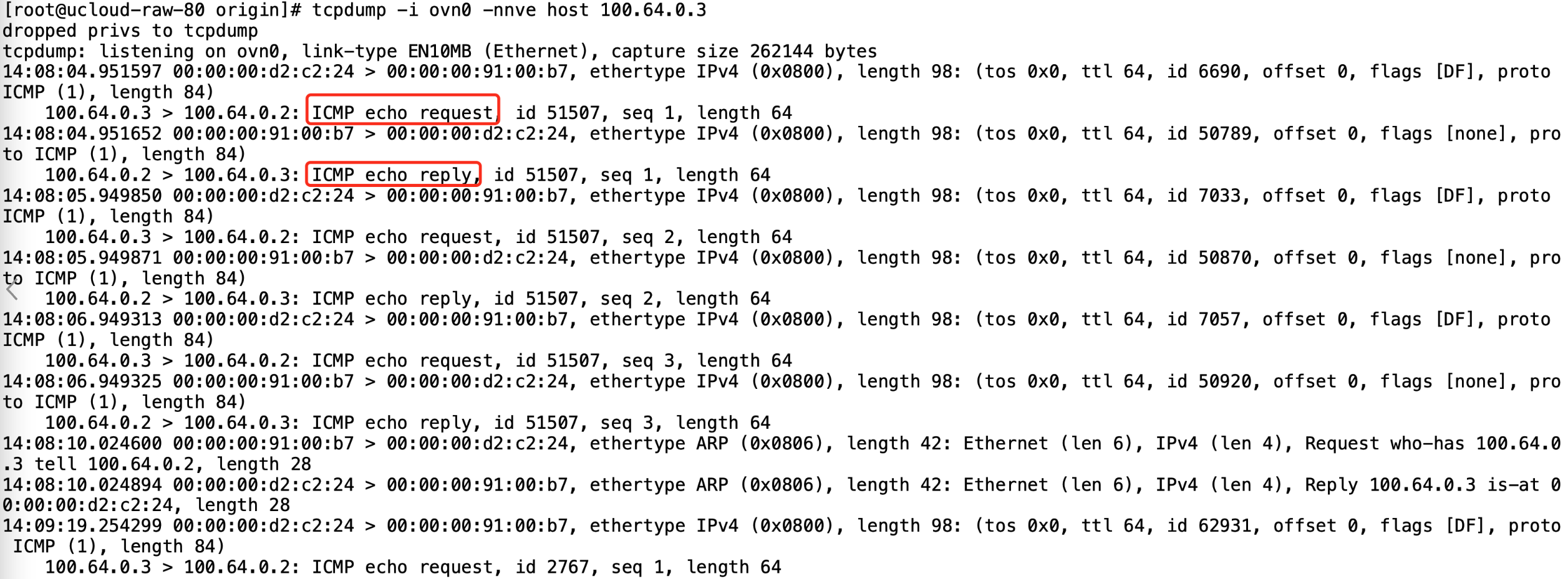
-
Use the command
tcpdump -i <node NIC name> -nnve host <node IP>to capture packets on the control node’s network card. It shows that the checksum of the packets sent from the control node is incorrect, while the received packets have correct checksums. The same issue occurs when capturing packets on the compute node’s network card. Therefore, it can be determined that the problem is related to checksum verification.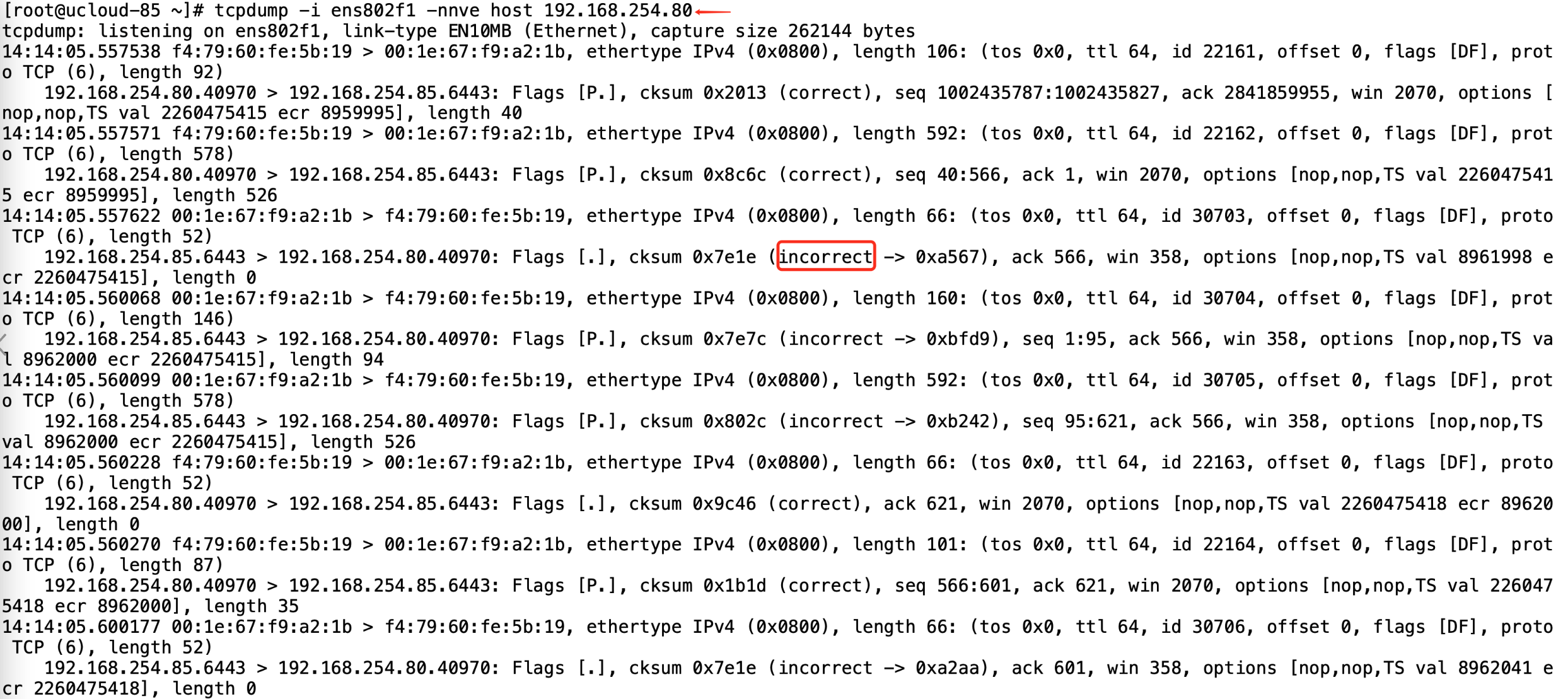
Solution
Disabling checksum verification on the NICs of ARM nodes in the heterogeneous cluster can resolve this issue. Use the following command, replacing <node NIC name> with the actual NIC name.
Note: This change will be ineffective after the NIC is restarted. To persist the change, add the command to the corresponding startup file.
ethtool -K <node NIC name> tx offParameter Explanation:
-
-K: Enable or disable features of the specified NIC. -
<node NIC name>: NIC name of the ARM node where checksum offloading needs to be disabled. -
tx off: Disable transmit checksum offloading.