
Monitoring and Alerts
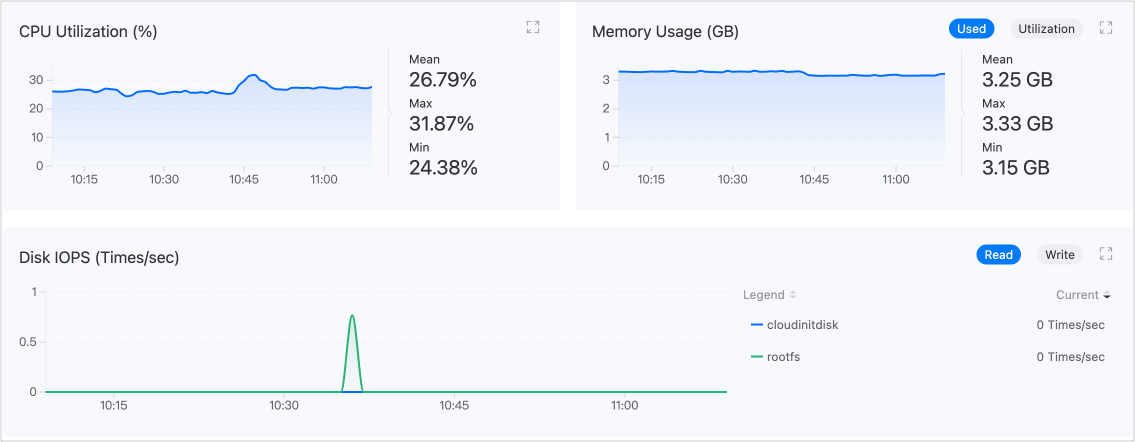
Monitor and alert on virtual machines in terms of CPU, memory, storage, and network. To facilitate timely alerts, notification policies can also be configured.
The intuitively presented monitoring data can be used to provide decision-making support for operations inspection or performance tuning, while the comprehensive alerting and notification mechanism will help ensure the stable operation of virtual machines.
Monitoring
By default, the platform collects commonly used performance monitoring metrics for virtual machines, including CPU, memory, storage, and network. Navigate to Virtualization > Virtual Machines, and on the Monitoring tab in the virtual machine details, you can view real-time monitoring data for the metrics.
Alerts
Configuring Alert Policies
To enable alerts, you must first create an alert policy. An alert policy describes the objects you wish to monitor, the conditions under which you wish to be alerted, and how you will be notified of relevant alerts. Navigate to Container Platform > Virtualization > Virtual Machines, and in the virtual machine details, click Create Alert Policy on the Alerts tab to complete the configuration.
Tip: The virtual machine alerting function is similar to the platform's general alerting function. For more detailed configuration guidance, please refer to the general Alerts documentation.
Handling Alerts
Navigate to the Alerts tab, and if there are alert status strategies indicated, please address them promptly.
Binding Notification Policies
In addition to real-time alerts on the Alerts tab, the platform also supports sending alert information via email, SMS, and other means to relevant personnel, notifying them to take necessary measures to resolve issues or prevent failures. The notification policy needs to be set up by contacting the administrator.