
Configure ALB Rules
TOC
IntroductionWhat is a Rule?PrerequisitesQuick demo of rulematch request with dslx and prioritydslxpriorityActionBackendbackend protocolService Group and Session Affinity PolicyCreating RuleUsing web consoleusing the CLIHttpsCertificate Annotation in IngressCertificate in RuleTLS ModeEdge ModeRe-encrypt ModeIngressingress syncssl strategyIntroduction
What is a Rule?
Rule is a Custom Resource(CR) that defines how incoming requests are matched and processed by the ALB.
Ingresses handled by ALB can be auto translated to rules.
Prerequisites
Quick demo of rule
Here is a demo rule to give you a quick first impression of how to use rules.
rule must be attached to a frontend and alb via label.
- Required, indicate the
Frontendto which this rule belongs. - Required, indicate the ALB to which this rule belongs.
- backendProtocol
- certificate_name
- dslx
- The lower the number, the higher the priority.
- serviceGroup
match request with dslx and priority
dslx
DSLX is a domain-specific language used to describe the matching criteria. For example, the rule below matches a request that satisfies all the following criteria:
- url starts with /app-a or /app-b
- method is post
- url param's group is vip
- host is *.app.com
- header's location is east-1 or east-2
- has a cookie name is uid
- source IPs come from 1.1.1.1-1.1.1.100
priority
Priority is an integer ranging from 0 to 10, where lower values indicate higher priority. To configure the priority of a rule in ingress, you can use the following annotation format:
For rules, simply set the priority directly in .spec.priority using an integer value.
Action
After a request matches a rule, you can apply the following actions to the request
Backend
backend protocol
By default, the backend protocol is set to HTTP. If you want to use TLS re-encryption, you can configure it as HTTPS.
Service Group and Session Affinity Policy
You can configure one or more services within a rule.
By default, the ALB uses a round-robin (RR) algorithm to distribute requests among backend services. However, you can assign weights to individual services or choose a different load balancing algorithm.
For more details, refer to Balance Algorithm.
Creating Rule
Using web console
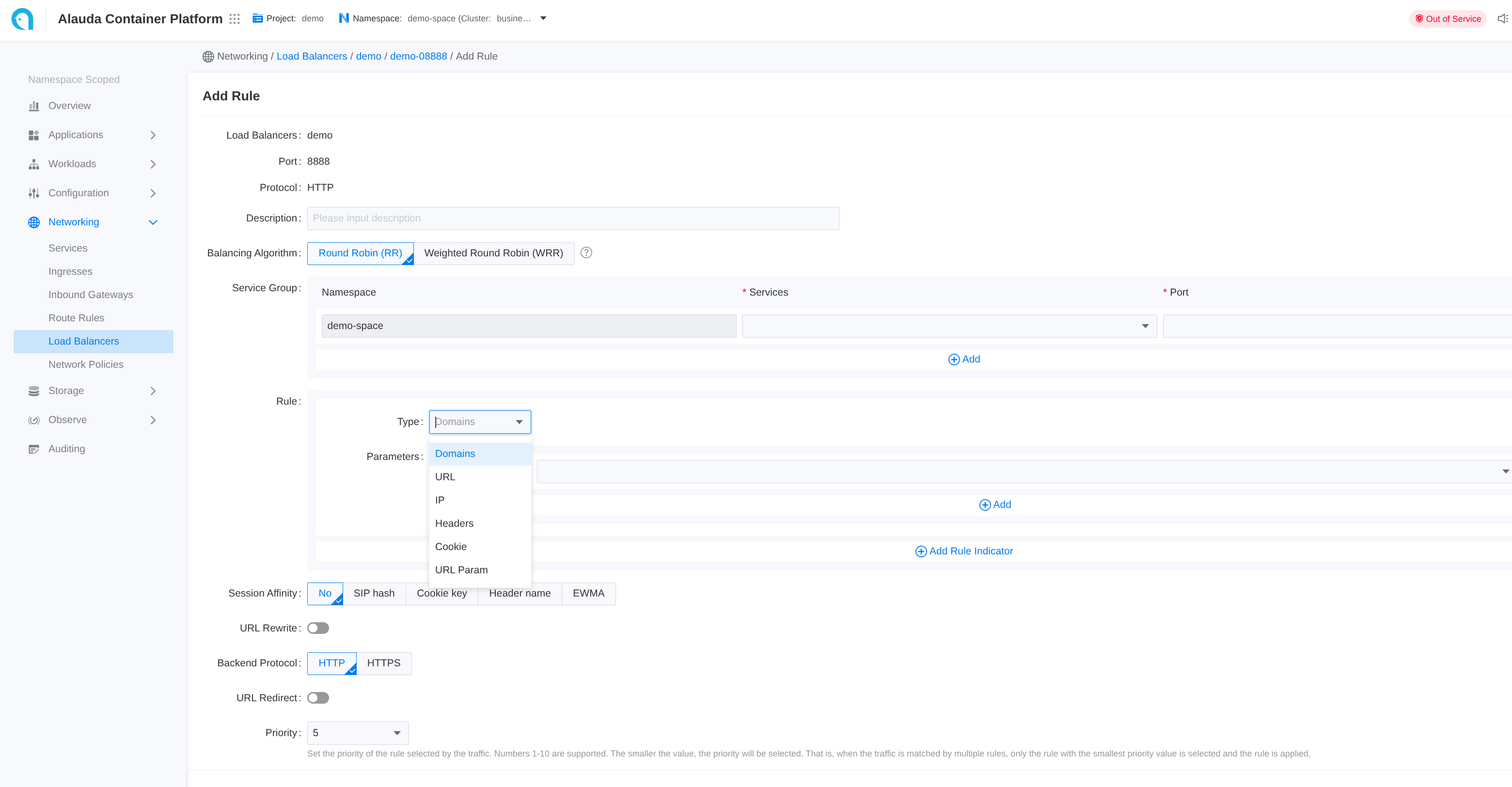
- Go to Container Platform.
- Click on Network > Load Balancing in the left navigation bar.
- Click on the name of the load balancer.
- Click on the name of the listener port.
- Click Add Rule.
- Refer to the following descriptions to configure the relevant parameters.
- Click Add.
Each input item on the webui corresponds to a field of the CR
using the CLI
Https
If the frontend protocol (ft) is HTTPS or GRPCS, the rule can also be configured to use HTTPS. You can specify the certificate either in the rule or in the ingress to match the certificate for that specific port.
Termination is supported, and re-encryption is possible if the backend protocol is HTTPS. However, you cannot specify a certificate for communication with the backend service.
Certificate Annotation in Ingress
Certificates can be referenced across namespaces via annotation.
Certificate in Rule
In .spec.certificate_name, the format is $secret_namespace/$secret_name
TLS Mode
Edge Mode
In edge mode, the client communicates with the ALB using HTTPS, and ALB communicates with backend services using HTTP protocol. To achieve this:
- create ft use https protocol
- create rule with backend protocol http, and specify cert via
.spec.certificate_name
Re-encrypt Mode
In re-encrypt mode, the client communicates with the ALB using HTTPS, and ALB communicates with backend services using HTTPS protocol. To achieve this:
- create ft use https protocol
- create rule with backend protocol https, and specify cert via
.spec.certificate_name
Ingress
ingress sync
Each ALB creates an IngressClass with the same name and handles ingresses within the same project.
When an ingress namespace has a label like cpaas.io/project: demo, it indicates that the ingress belongs to the demo project.
ALBs that have the project name demo in their .spec.config.projects configuration will automatically translate these ingresses into rules.
ALB listens to ingress and automatically creates a Frontend or Rule. source field is defined as follows:
spec.source.typecurrently only supportsingress.spec.source.nameis ingress name.spec.source.namespaceis ingress namespace.
ssl strategy
For ingresses that do not have certificates configured, ALB provides a strategy to use a default certificate.
You can configure the ALB custom resource with the following settings:
.spec.config.defaultSSLStrategy: Defines the SSL strategy for ingresses without certificates.spec.config.defaultSSLCert: Sets the default certificate in the format$secret_ns/$secret_name
Available SSL strategies:
- Never: Do not create rules on HTTPS ports (default behavior)
- Always: Create rules on HTTPS ports using the default certificate